
Download Home Dash – Full‑Screen Browsing Add‑on for Firefox 4
Overview
Home Dash is a lightweight, flexible add‑on designed specifically for Firefox 4 that transforms the traditional browser window into a true full‑screen experience without sacrificing functionality. When you switch to full‑screen mode, most browsers hide the tab bar, address bar, and navigation controls, forcing you to exit the immersive view whenever you need to switch tabs or perform a search. Home Dash solves that dilemma by overlaying a sleek, customizable dashboard on top of the full‑screen page.
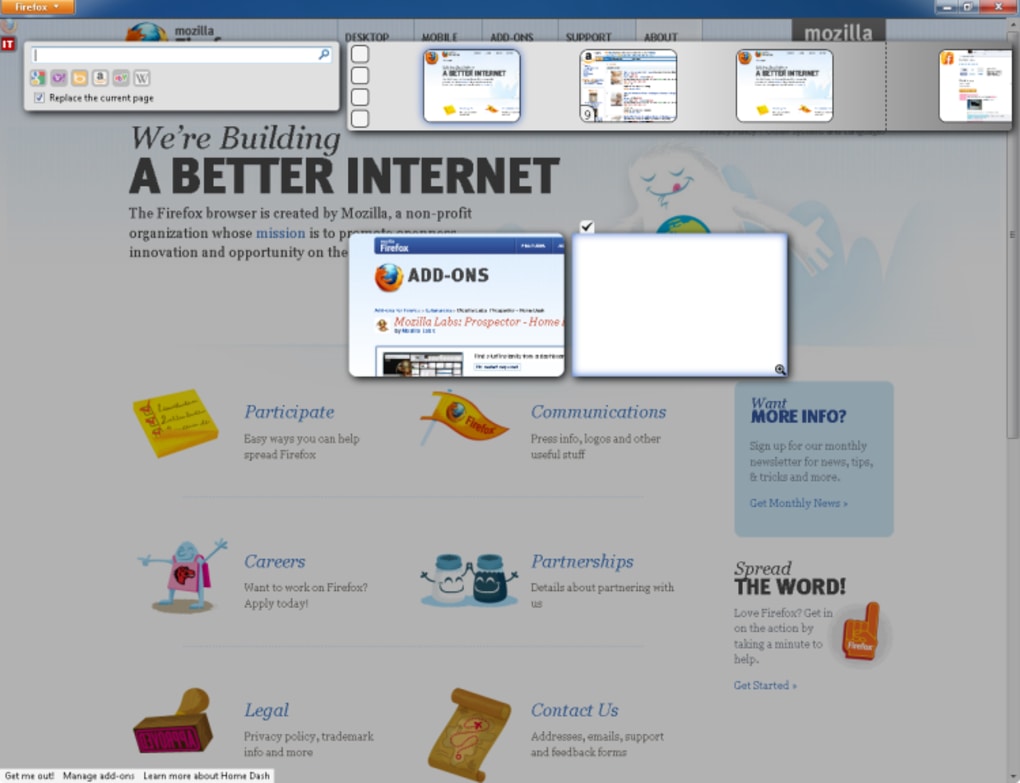
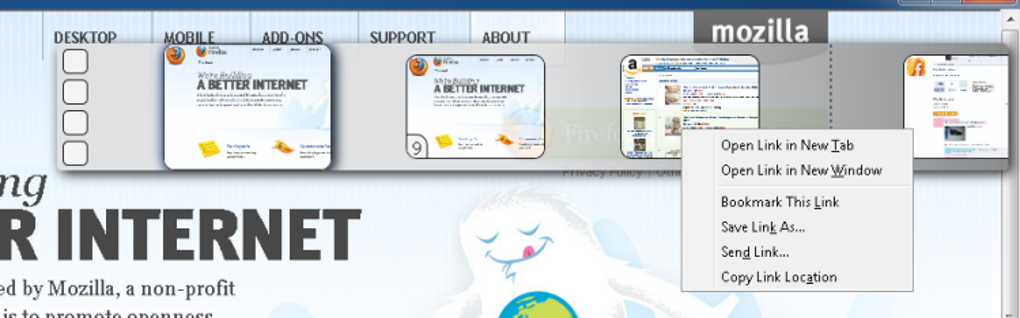
The dashboard appears instantly when you press Ctrl + L or hover over the faint Firefox logo in the upper‑left corner, presenting thumbnail previews of up to 25 open tabs, a searchable address field, and quick‑access shortcuts. Each thumbnail is fully interactive—you can click to focus a page, right‑click for context options, or close tabs directly from the overlay. The add‑on works without requiring a browser restart, making the setup process painless.
While the initial learning curve can feel a bit jumpy, especially if you’re not accustomed to hotkey‑driven navigation, mastering the key combinations unlocks a fluid workflow that maximizes screen real estate and keeps you glued to your content. Home Dash is perfect for power users, designers, and anyone who loves the distraction‑free feel of full‑screen browsing while still needing instant access to multiple pages and search capabilities.
Key Features & Customization
- True full‑screen mode with a persistent, overlaying dashboard.
- Thumbnail previews for up to 25 open tabs, fully functional and draggable.
- Customizable search box supporting multiple search engines.
- Hotkey support: Ctrl + L to summon the dashboard, plus a full list of keyboard shortcuts.
- Right‑click context menu on thumbnails for quick actions (reload, duplicate, close).
- Layered tab arrangement that keeps closed tabs accessible until you permanently discard them.
- Zero‑restart installation—activate Home Dash immediately after download.
- Lightweight codebase that does not noticeably impact Firefox’s performance.
Pros
- Seamless integration with Firefox 4—no restart required.
- Maintains full‑screen immersion while still providing tab navigation.
- Highly customizable via hotkeys, allowing power users to streamline their workflow.
- Thumbnail view offers a visual overview of open pages, reducing the need to hunt through tab lists.
- Light on system resources, keeping browser speed optimal.
Cons
- Initial learning curve can feel “jumpy” until hotkeys are mastered.
- Layered tab closing may be confusing for users who prefer a linear tab list.
- Only compatible with Firefox 4; older or newer versions require alternative solutions.
- Limited to 25 thumbnails—larger tab sets need additional management.
- Customization options are primarily keyboard‑driven; there is no graphical settings panel.
Home Dash brings a clever solution to the full‑screen browsing dilemma in Firefox 4. Its thumbnail dashboard is both functional and visually appealing, and the hotkey system empowers users to stay immersed while navigating multiple tabs. While the add‑on is limited to Firefox 4 and can feel a bit unpredictable at first, the overall experience is a solid upgrade for anyone who values screen space and quick tab access.
Installation, Usage & Compatibility
Installation Steps
- Open Firefox 4 and navigate to the official Mozilla Add‑Ons page for Home Dash.
- Click the Add to Firefox button. A prompt will appear confirming the permissions required.
- Accept the permissions and click Install. The add‑on downloads and installs instantly—no browser restart is needed.
- Once installed, you’ll see a subtle Firefox logo in the top‑left corner of your full‑screen window. This indicates that Home Dash is active.
How to Use Home Dash
- Enter Full‑Screen Mode: Press F11 or select View → Full Screen from the menu.
- Summon the Dashboard: Press Ctrl + L or hover over the faint Firefox logo. The overlay appears with tab thumbnails and a search box.
- Navigate Tabs: Click any thumbnail to switch to that page. Right‑click a thumbnail for options such as Reload, Duplicate Tab, or Close.
- Search Directly: Type your query into the embedded search box. You can switch the default engine by clicking the small gear icon and selecting from the pre‑loaded list or adding a custom engine.
- Close Tabs Efficiently: Click the X on a thumbnail’s top‑right corner. Closed tabs are stacked in layers, allowing you to reopen them by clicking the layer preview.
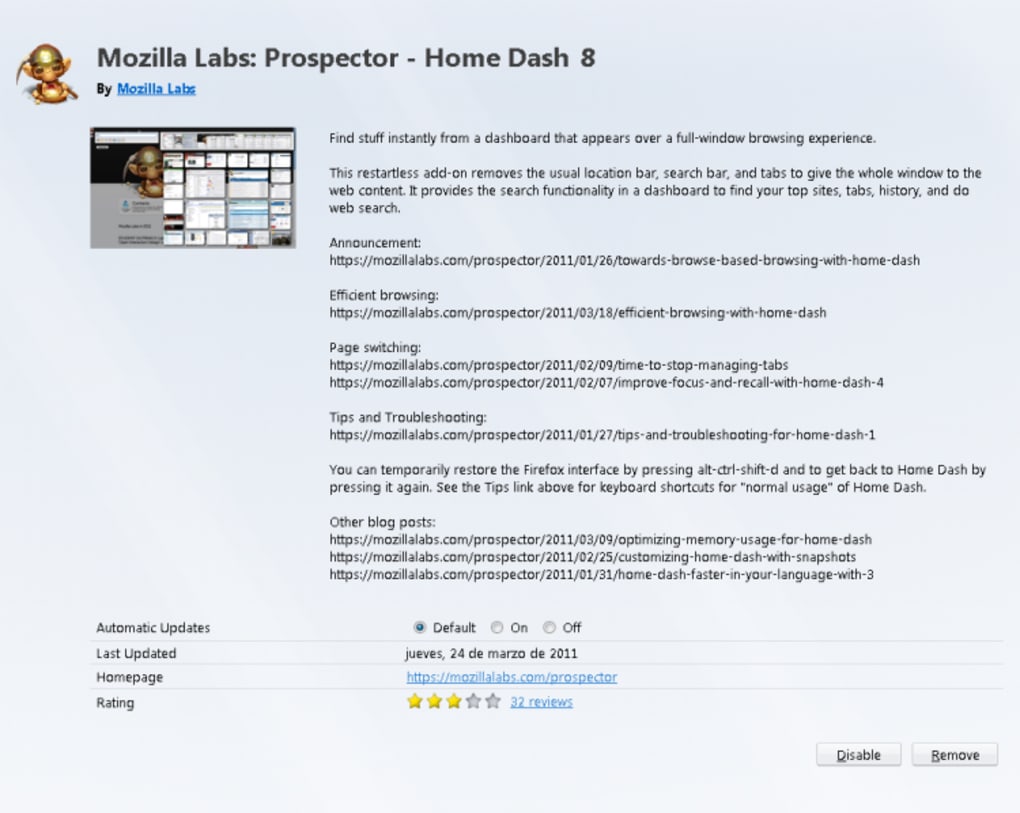
- Customize Hotkeys: Visit the Home Dash options page (accessible via Tools → Add‑Ons → Home Dash → Preferences**) to view or modify the full list of keyboard shortcuts.
Compatibility
Home Dash is built exclusively for Firefox 4 on desktop platforms. It runs on Windows 7/8/10, macOS 10.6+ and Linux distributions that support Firefox 4. Mobile versions of Firefox (Android, iOS) are not supported, as the add‑on relies on desktop UI elements and keyboard shortcuts that are unavailable on touch‑only devices. Users on newer Firefox releases will need to seek alternative full‑screen tab managers, as Home Dash’s codebase does not automatically update to newer APIs.
FAQ & Conclusion
Do I need to restart Firefox after installing Home Dash?
No. Home Dash installs and becomes active immediately without requiring a browser restart.
Can I use Home Dash with Firefox versions newer than 4?
Home Dash was designed for Firefox 4 and may not work correctly with newer versions. For later Firefox releases, look for updated full‑screen tab managers.
How many tabs can the dashboard display at once?
The dashboard can show up to 25 thumbnail previews simultaneously. If you have more than 25 tabs open, only the most recent 25 are displayed.
Is Home Dash free to download?
Yes. Home Dash is available as a free add‑on from the Mozilla Add‑Ons repository.
Can I customize the search engine used in the dashboard?
Absolutely. Click the gear icon next to the search box to select a different engine or add a custom search URL.
Conclusion – Should You Download Home Dash?
Home Dash delivers a clever, efficient solution for anyone who wants the immersive feel of full‑screen browsing without sacrificing the ability to manage multiple tabs or perform quick searches. Its thumbnail dashboard, hotkey‑driven navigation, and zero‑restart installation make it a standout add‑on for Firefox 4 power users. While the add‑on is limited to an older browser version and may feel a little unstable until you master its shortcuts, the benefits of a clutter‑free workspace and instant tab access outweigh these minor drawbacks. If you’re using Firefox 4 on Windows, macOS, or Linux and you value a secure, free tool that enhances productivity, download Home Dash today and experience a smoother, more immersive web‑surfing workflow.







